Scheduling Daily Notes
Enhancing communication to boost workforce efficiency while ensuring customer satisfaction and integration
within the Workday ecosystem.
Overview
Workday unifies finance, HR, and planning on a single cloud platform. Workday Scheduling optimizes workforce scheduling and communication.
Deliverables
Communication tool for managers and employees, accessible via responsive web design, mobile, and Vision Work.
Role
Lead designer and individual contributor and research focus.
Objective
Customer feedback identified a need for enhanced communication tools in Workday Scheduling. Daily Notes addresses this need by improving satisfaction and retention, strengthening Workday's market position with a comprehensive solution and reducing reliance on external apps.
Outcome
The initial release of the feature in July 2023 was met with positive customer feedback and demonstrated strong early adoption, with promising results.
Business value
Daily Notes meets a crucial customer need, improving satisfaction and retention. It strengthens Workday's market position by offering a comprehensive solution, reducing reliance on external apps.
Design process - Collaborating
As a new team member, I led bi-weekly cross-functional meetings to foster collaboration and transparency. This improved communication and ensured alignment among stakeholders. I also regularly shared designs and gathered feedback to maintain a user-centric focus throughout the development process.
Understanding the user for daily notes the front line manager
Collaborated with a consulting researcher to gain deeper insights into our users, fostering greater empathy for their needs and pain points.
Learning about JTBD of Front line Manager
Communicate with my employees - Enable managers to easily communicate detailed instructions and expectations to their team members

"I want to ensure my production targets are met and my manufacturing lines works 24/7 with minimal downtime"
Frontline Manager Communication Habits
These insights emerged from user research sessions with various customers, revealing their challenges and needs around employee communication.
10%
30%
Third-party solution
10%
Text Message
30%
In Person
20%
Bulletin Board
Scheduling design workshop
We conducted a workshop with 4 product managers, 2 engineers, and another designer to brainstorm ideas for the design space. We discussed user needs, pain points, and long-term goals. The workshop helped us better understand the overall scheduling space.
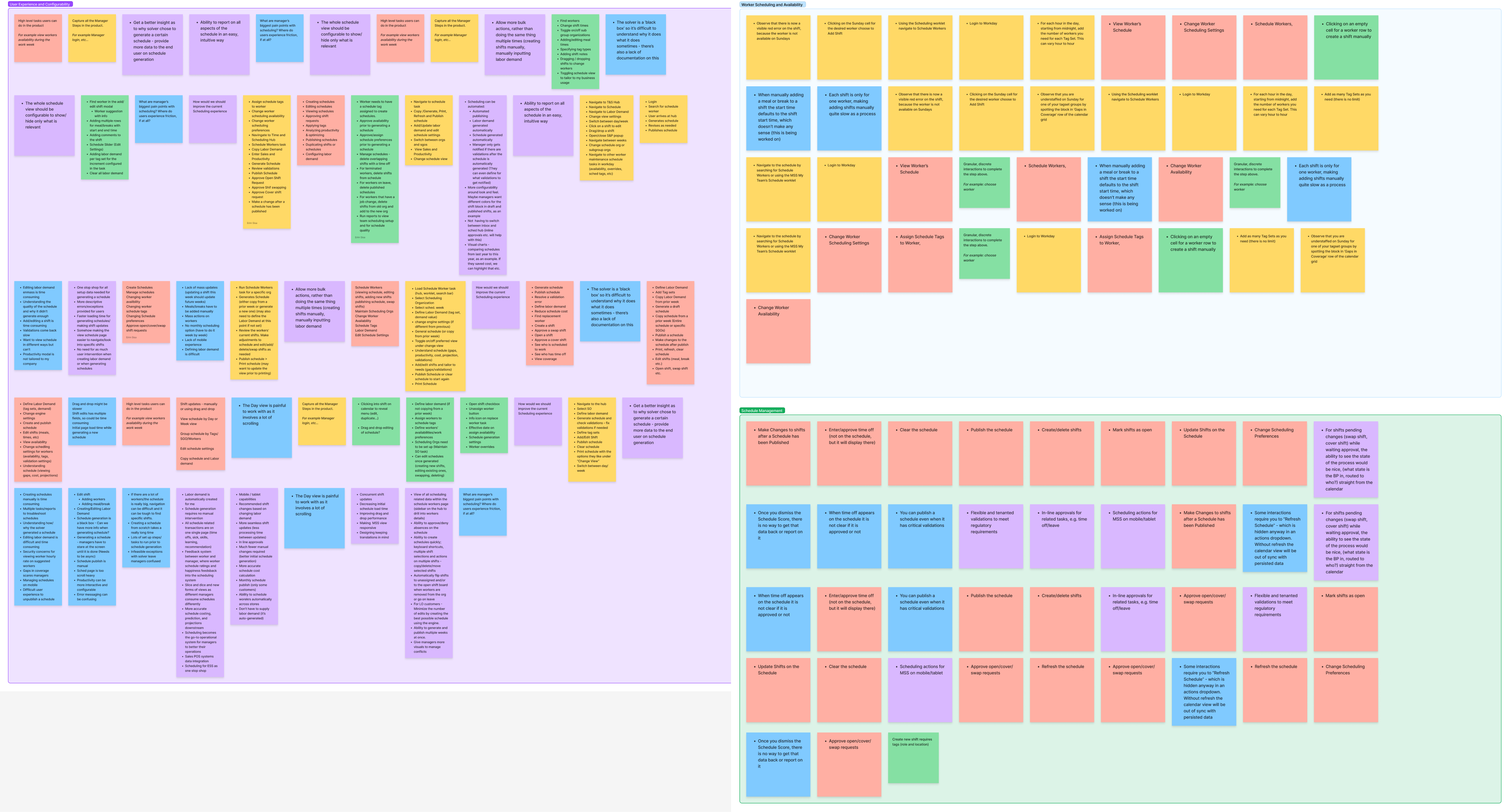
We conducted a remote workshop via Zoom, utilizing FigJam to gather valuable insights on the space.
3 Takeaways from the Scheduling design workshop:
1. Communication
Managers lacked an integrated communication tool within the scheduling product, leading to inefficiencies and miscommunication.
2. Inefficiencies of Manual Scheduling: Manual schedule creation is a time-consuming process that hinders productivity, especially when dealing with frequent updates or large teams. This was related to other Scheduling project.
3. Limitations of Bulk Changes:
The lack of mass update functionality forces repetitive tasks and increases the potential for errors, impacting both managers and employee time. This was related to other Scheduling project.
We decided to focus on takeaway one, communications, based on resource constraints and customer pain points.
Understanding the journey of the user
To gain a deep understanding of frontline managers' workflows and pain points, I collaborated with fellow designers to create a comprehensive journey map. This map helped us pinpoint communication gaps between managers and their employees, serving as a foundation for designing solutions that streamline the manager's experience.

Long-term vision discovery
While developing Daily Notes, I led a "Scheduling Discovery Tour" to explore three potential future scenarios for the product, focusing on how we could further empower users and elevate their experience. I presented these concepts to key stakeholders, UX leadership, and business leaders to gain alignment on the path forward.
Design Concepts
Integrating design into the existing system
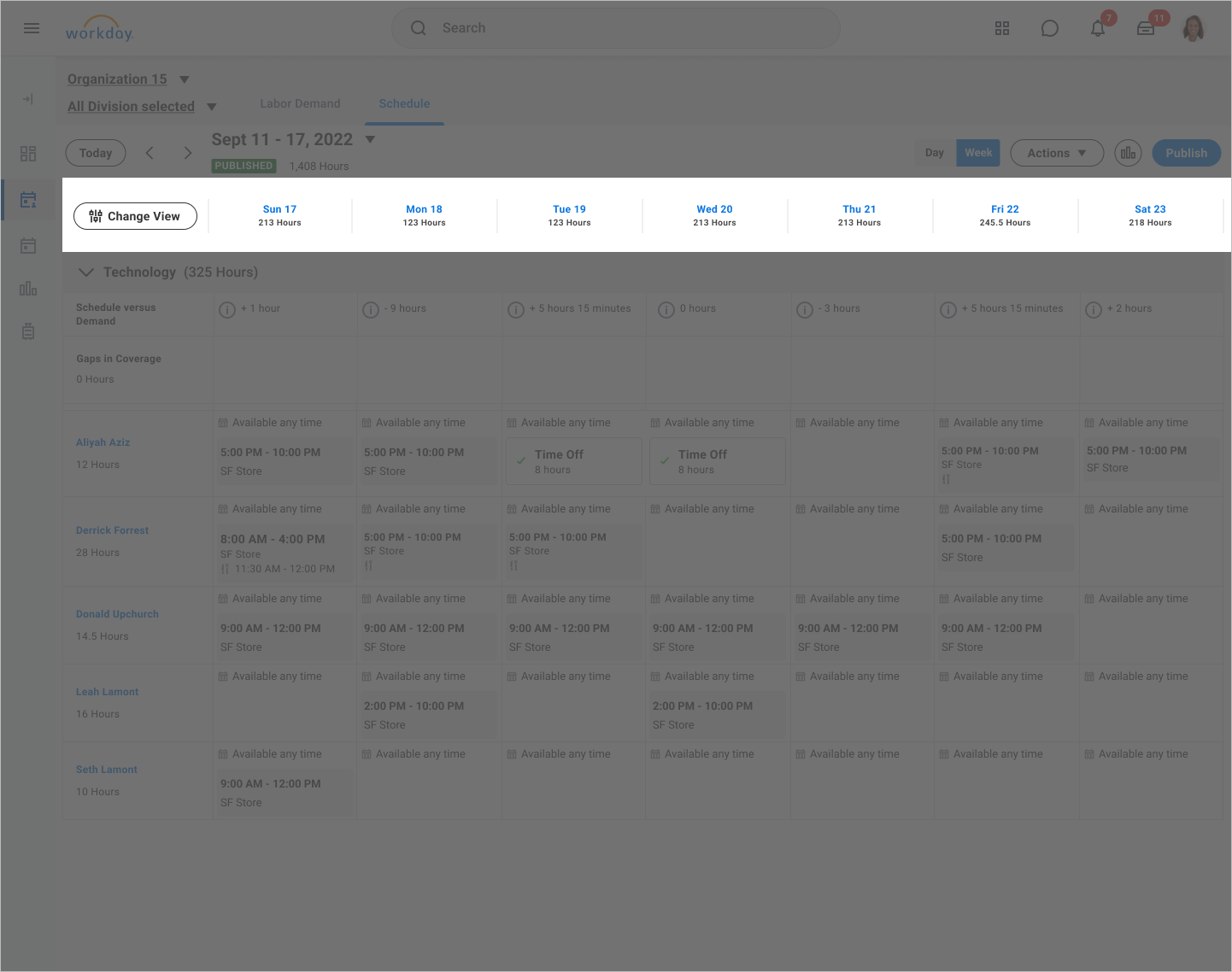
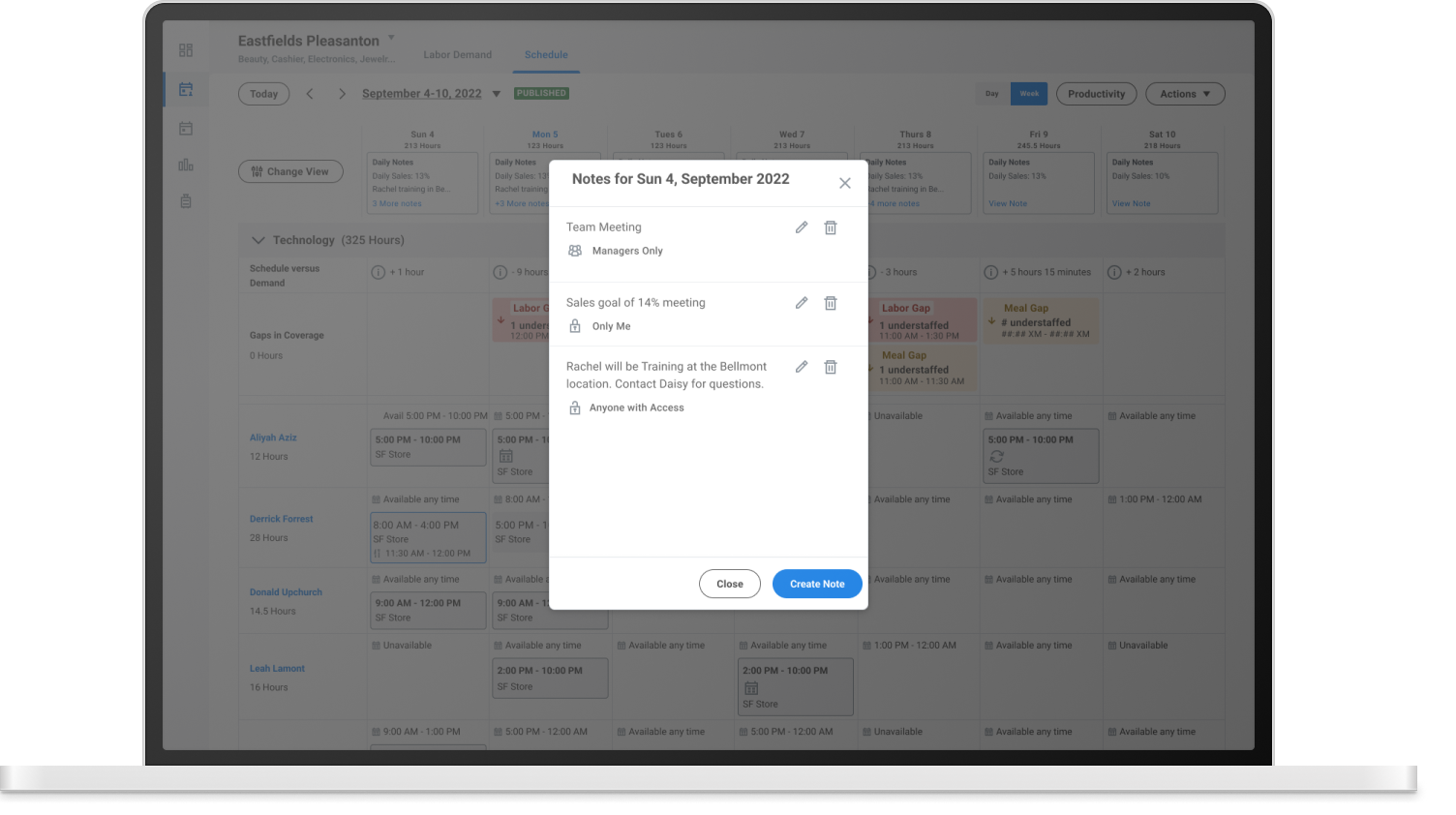
This section lets managers view upcoming workdays and hours workers are scheduled.
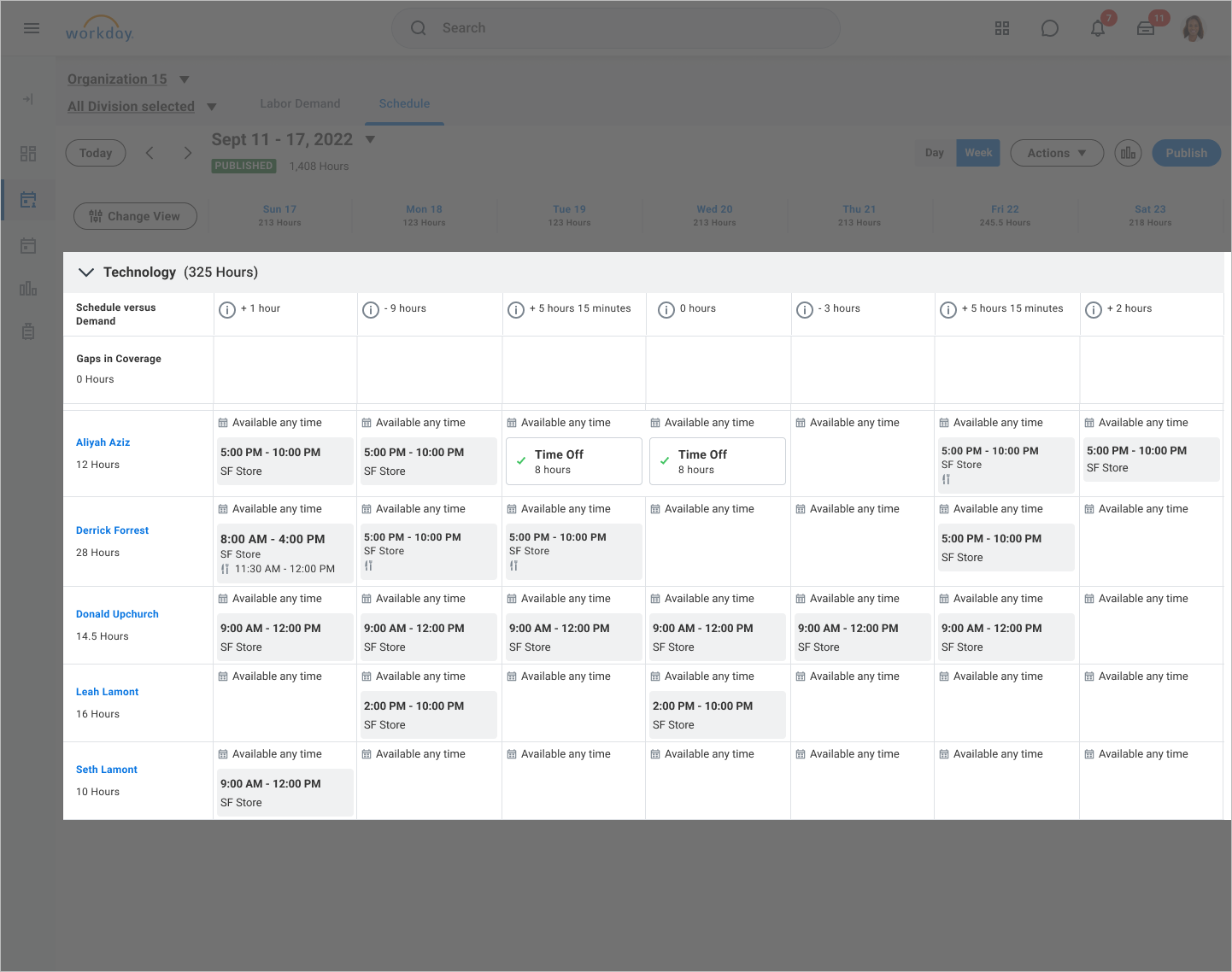
Managers can view their team's upcoming schedules in this section
Due to limited space, I selected the 'workdays and hours' section for integrating notes, as it's the most frequently viewed area by users.
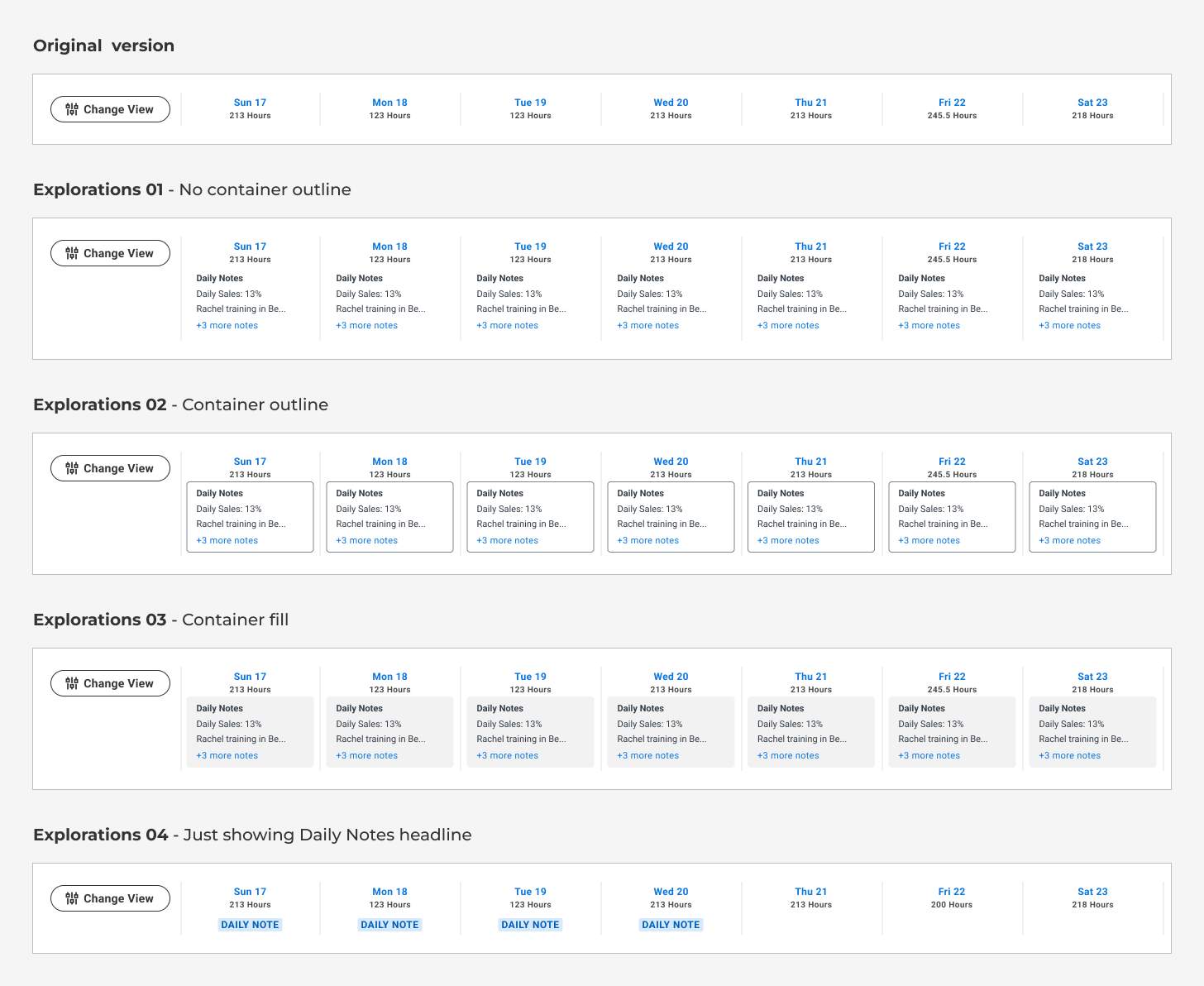
Exploring Header Integration: We opted for Exploration 02 to give Daily Notes the visual prominence necessary for users to notice and engage with them.
Prototype for Scheduling for usability testing

View, create and edit notes v1
User testing on Daily notes
To design an optimal Daily Note feature, I conducted qualitative interviews with 8 users
Key findings include:

Permissions
Users expressed a strong need for granular permission controls when sharing notes between managers.

Format
Participants preferred a concise note format with just a title, simplifying input and at-a-glance readability.

Overall Value
Users overwhelmingly see the Daily Note feature as a much-needed tool with the potential to significantly improve their scheduling workflow.
"I do think that would be really helpful, especially when it comes to things like orders arriving into the store. It would be really easy and clean to be able to just let that team know."
Scheduling user
In response to user feedback, we implemented permissions as a configurable option.
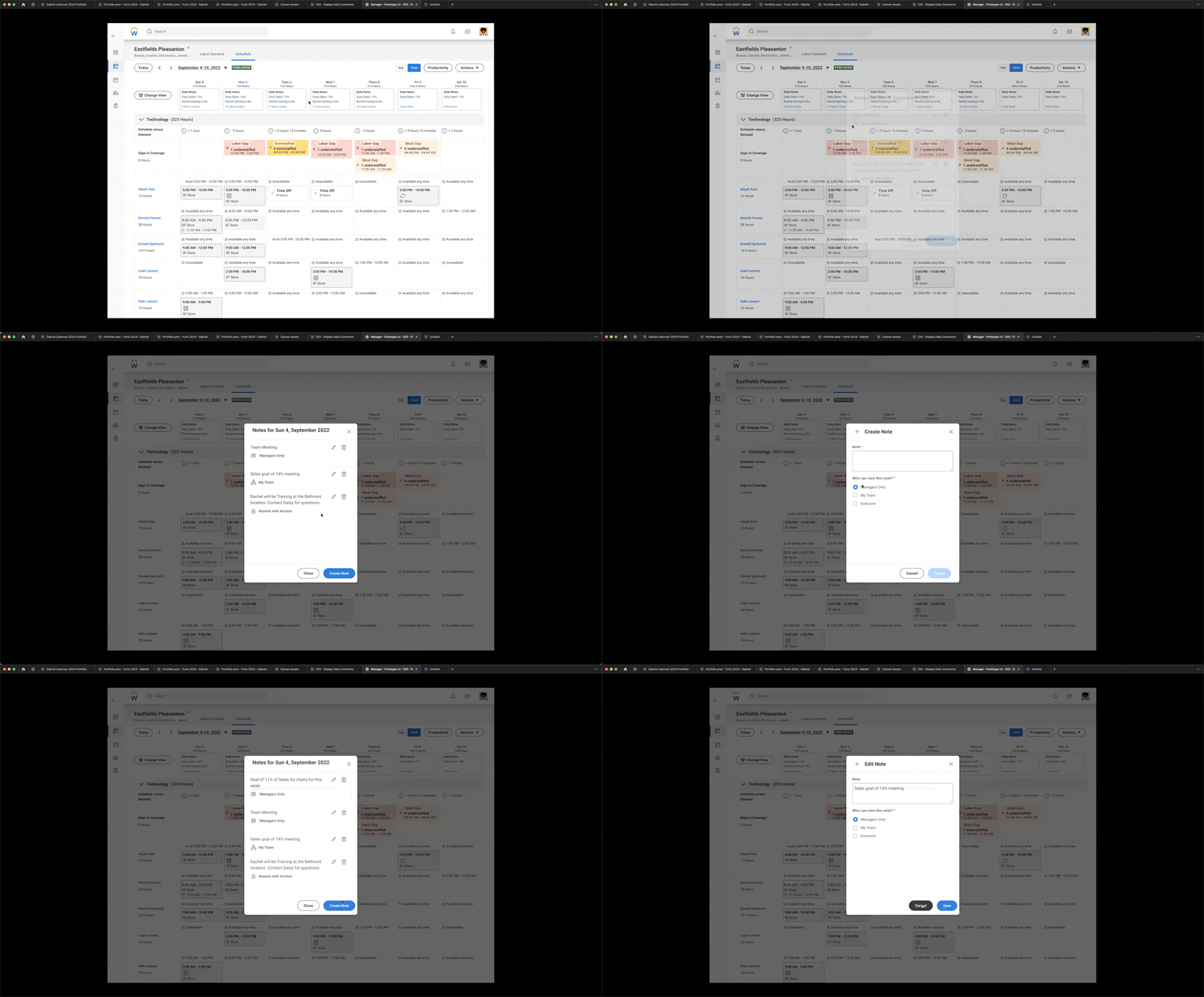
View, create and edit notes v2 - with permissions
Short term direction
User research highlighted the value of developing permissions, but this feature was temporarily deferred for Version 1.
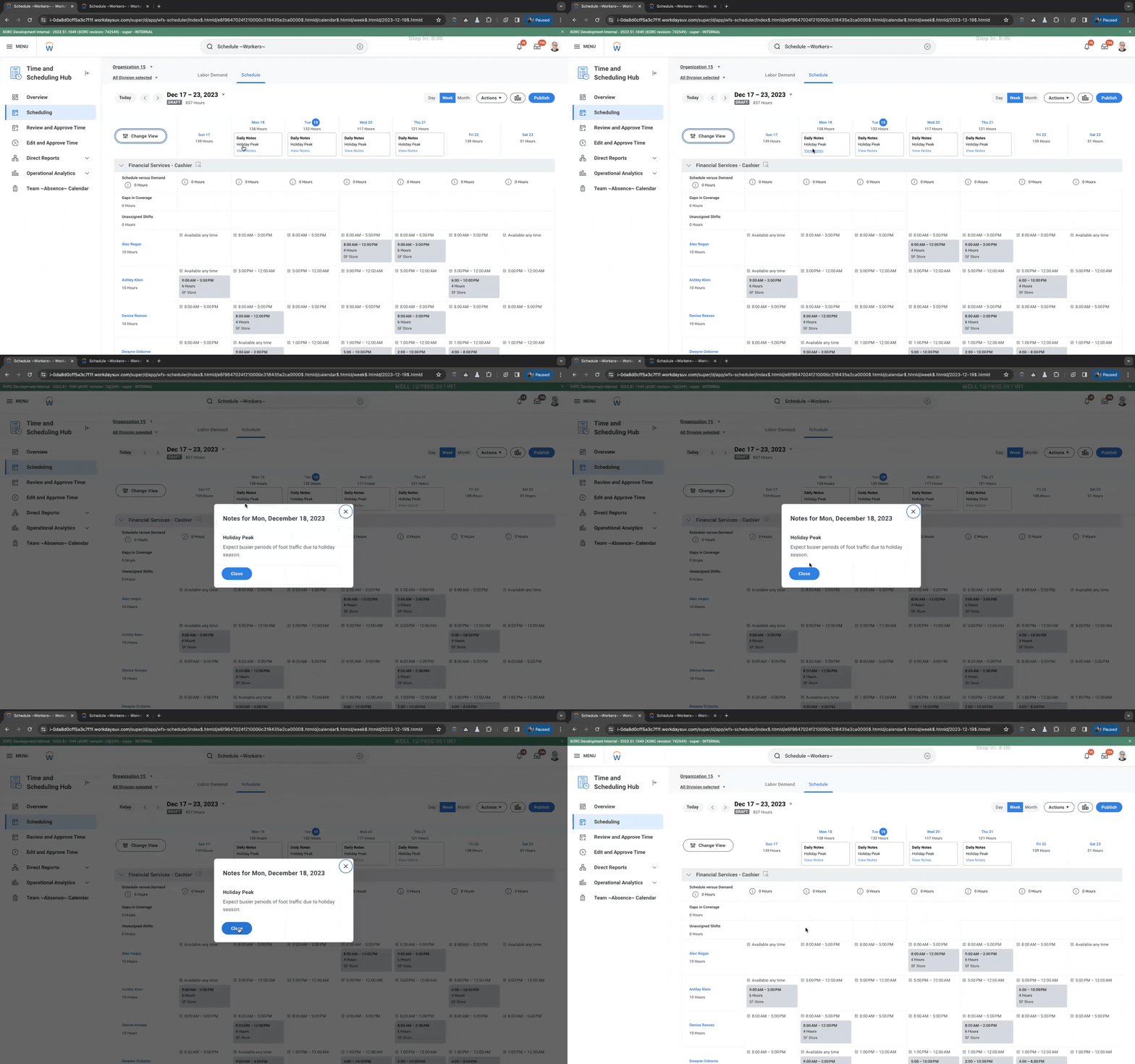
Current build of Daily Notes
Long term direction
One concept, 'Seamless Simplicity,' aimed to enhance manager-employee communication (our primary goal) by integrating with Slack, offering system-generated shift recommendations, and streamlining handoff and mass scheduling processes, thereby meeting users where they already work.

Outcome
We have received positive feedback from our current customers and users regarding this feature, and we are planning future updates based on this input.

Next steps
Short-term focus: In response to customer feedback, we plan to expand the functionality of the current version.

Long term focus: We initiated the development of a roadmap to outline potential future phases and features for the Scheduling product.
Beyond this project, I contributed to the launch of the first comprehensive Scheduling design system, which streamlined our work processes.
Testimonials from coworkers
Mike cammack
Principal Product Manager @ Workday Scheduling
I've been working with Gabriel on Scheduling designs for a couple of months now and I'm really impressed with the speed and quality of the designs he produces. Gabriel is happy to jump on ad hoc zoom calls to discuss items as and when needed and he has also set up regular 1:1s and team meetings to keep everyone in the loop.
Most recently Gabriel turned around a huge prototype for our Static Scheduling feature in less than a week, which means we can now take that to prospects and customers to get their feedback.
Erim Sisa
Senior Product Manager @ Workday Scheduling
I wanted to take a moment to write and express my appreciation for the outstanding work you have done as
a lead designer on the Seaotter team. Over the past year,
I have been continually impressed by your ability to take initiative and challenge the product management team to think about futuristic designs. Your innovative ideas have helped to elevate the user experience of our products to new heights.
In addition to your creative skills, I also want to commend you on your accommodating nature. You are always willing to listen to feedback and adjust your designs accordingly, which has been invaluable to the success of our projects. Your willingness to collaborate and work with the team has not gone unnoticed, and I believe it is a key factor in the smooth functioning of our team.
Ryan Freger
Senior Software Engineer @ Workday Scheduling
I highly recommend Gabriel for any UX design role. His expertise, creativity, and collaborative nature make him an invaluable asset to any team.I had the pleasure of working with Gabriel on our Scheduling product, and he is one of the most talented UX designers I've ever collaborated with. Gabriel always communicated effectively with the development team, ensuring implementation of his designs would go smoothly, while taking into account technical limitations from our side. His feedback was always constructive and aimed at enhancing the user experience. He consistently brought ideas that made our product more intuitive and user-friendly. With his designs, we delivered features that are loved by our customers for their ease of use. I highly recommend Gabriel for any UX design role. His expertise, creativity, and collaborative nature make him an invaluable asset to any team.
Thanks for reading.
If you’re curious to see more, check out the additional case studies below.